
">
">
">
">
Click here to add your text. All Avatars in the pictures courtesy of Num_Lock |
">
">
">
">
">
">
">
">
Camy's Rooftop Garden |
Please click the picture on the left to start the download for the Rooftop Garden. The Zip should be extracted to your C:| main drive (or if you want it on another drive then change this and nothing else). A folder will be created 'named 'camy'. You will need to be a member of Worlds.com 3D Chat and also have the shaper installed to open the folder. Once open click on the yellow world icon. To be able to see all the textures in this Garden you will need to have installed most of Worlds.com 'Worlds'. If you have any of the older versions of the Rooftop Garden please rename or delete that folder first. |

Click here to add your text. If you have not got the best chat around then click on the Worlds logo to download Worlds.com |
Click here to add your text. Please click picture above to start download........ Whilst your downloading why not browse through some of my favourite links below |
I would like to thank everyone involved in helping me to make this Garden. Would also like to thank Worlds.com for giving me the opportunity to be able to. To all the amazing and wonderful people I had the pleasure to meet online on Worlds...... the Elf Group, World members and to the fantastic Hosts *big hugs* to you all. Please come back and sign my guest book to let me know what you think of the Garden, good or bad lol........or click the link to email me. |


">
">
">
">
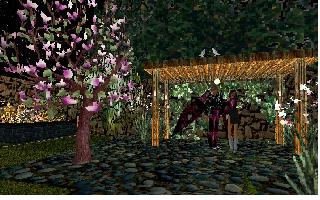
Click here to add your text. All Avatars in the pictures courtesy of Num_Lock |


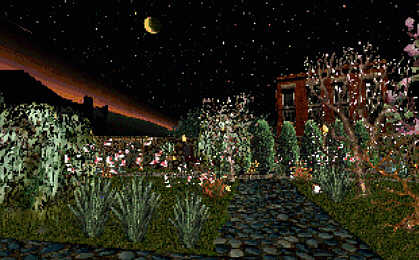
Welcome to the Rooftop Garden download.. Amongst the hustle and bustle of the night city life, there sits on one of the highest buildings a Garden. Not just like any garden but a place for the city folk to relax and unwind after a hard days work. Lovers meet under the moonlight. Weekends are busy with a bride and groom making their vows of life of happiness. White Doves making the Garden their home sending the signal of World peace. |
Please wait for all the graphics to load |
When the city quiets and folk have gone to bed a young girl can be seen, smelling the flowers, feeding the birds, contented in this live of tranquility. Do you dare venture into her secret Den? click on the many objects for the surprises that still remain. |


">
">
">
">




">
">
">
">
I now have a Dynamic download working for the Garden In Worlds, click on Worldsmark and edit. Add a suitable name and in the URL field enter the following: http://www.angelfire.com/space/zaphod/rooftopgarden/rooftopgarden.world Now simply find the worldmark in the usual way and you should be teleported there - once the world file has been downloaded. NOTE: The world file describes the structure of the world but not the colours and shapes. These will take additional time to load although you can still explore while this happens. Or you can download the file - details below......... |
">
">
">
">